Flowmaps vs Buildpad: Validate the Business or Plan the App?

By Tuan Hoang, Founder of Flowmaps
Published · 4 min read
Buildpad helps you turn an idea into a business: AI agents research demand, it guides you through phases like understanding the market and picking a price, and it can publish a landing page. Flowmaps helps you build the app itself: it turns your idea into a map of features in build order, with a build prompt per feature for your AI builder. They overlap less than you'd think. Buildpad is for "should I build this, and for whom?"; Flowmaps is for "how do I build it, step by step?"
I make Flowmaps, so I'm biased. Everything about Buildpad below comes from its own website and docs (checked October 2026).
The short version
| Flowmaps | Buildpad | |
|---|---|---|
| What it is | A visual app planner | A business-building platform ("AI cofounder") |
| Main job | Plan the features of your app in build order and hand each one to your AI builder | Research demand, shape the idea and plan the business in phases |
| Works for | Apps and SaaS built with Lovable, Bolt, Cursor, Claude Code and others | Any business, from apps to physical products |
| Visual | Mind map plus a Kanban board of features | A canvas with documents, notes and research |
| Market research | No | Yes: agents read Reddit, app stores, reviews and more |
| Build prompts for AI builders | Yes, one per feature | Not its focus |
| Price | Free plan (1 venture, 30 cards); Pro $19/month ($12 early bird) | Free trial; Pro $39/month (200 credits), Max $85/month (500 credits) |
What Buildpad does well
Buildpad starts before the product. You describe what you want to build and it breaks your goal into phases, such as understanding the market, choosing what to offer and designing the brand, and works through them with you. Research agents scan social media, app stores, reviews and the wider web to see whether people actually want what you have in mind, and summarize what they find.
Everything lives on one visual canvas: documents, notes, research and customer personas. It can run customer interviews and publish a website on your own domain. Buildpad says more than 100,000 founders use it, and it works for any kind of business, not only software.
If you're still deciding whether your idea is worth building, or you need to understand your market first, Buildpad is built for exactly that.
What Flowmaps does differently
Flowmaps picks up where that decision is made. You've decided to build the app; now you need to know which features it needs and in what order, so your AI builder doesn't guess. Flowmaps maps the features (setup and logins first, the core next, extras later) and points out what beginners tend to forget, like failed payments or cancellations.
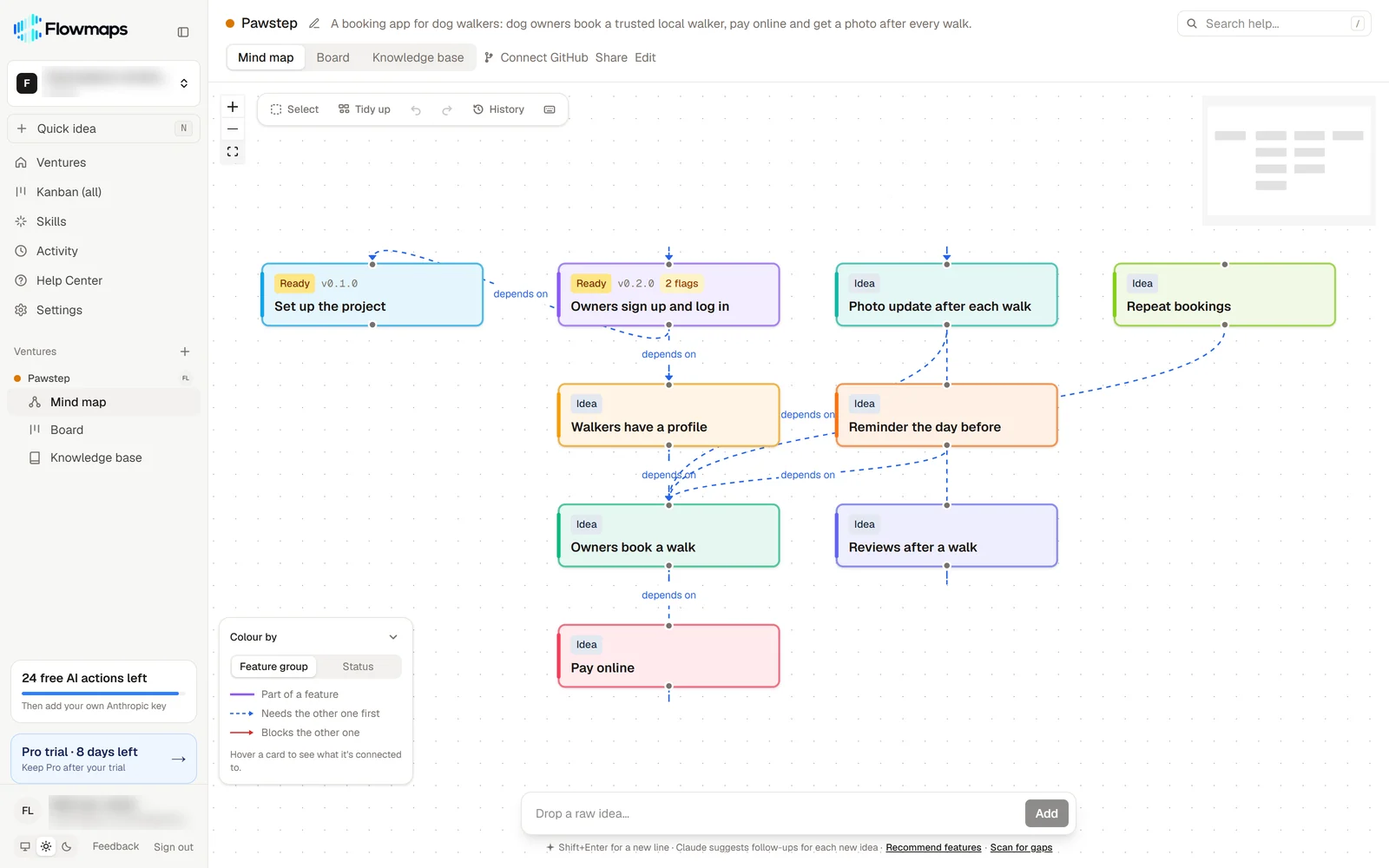
Each feature gets its own build prompt (database, backend, frontend) for the builder you use. Cards move from Idea to Shipped as you build, and with GitHub connected they move by themselves when you merge. One map per app keeps your place when you come back a week later.
Where each one falls short
Buildpad is about the business, not the code. It doesn't write a build prompt per feature for Lovable or Claude Code, or track which features are built. It runs on credits, and there's no free plan beyond the trial.
Flowmaps doesn't research your market or tell you whether people want your idea. It assumes you've decided what to build. If you skip validation, Flowmaps will happily help you build something nobody asked for.
Which one should you pick?
- You have an idea and don't know yet if anyone wants it: Buildpad, to research demand first.
- You know what to build and want to build it with AI, step by step: Flowmaps.
- You're building a physical product or service, not an app: Buildpad.
- You're a beginner building your first app with Lovable or Bolt: Flowmaps, for a clear order and one prompt per step.
- Both: validate the idea in Buildpad, then bring what you learned into Flowmaps as your app idea and build it feature by feature.
Frequently asked questions
Is Flowmaps a Buildpad alternative?
Only partly. Both help founders go from an idea to something real, but at different stages. Buildpad researches and shapes the business; Flowmaps plans and tracks the building of the app.
Which one is cheaper?
Flowmaps has a free plan, and Pro is $19 a month ($12 for early-bird customers), with AI through your own Anthropic key. Buildpad has a free trial, then Pro at $39 a month with 200 credits or Max at $85 a month with 500.
Can I use them together?
Yes, and it's a good order: research and validate in Buildpad, then turn the app part into a build plan in Flowmaps.
Does Buildpad write prompts for Lovable or Claude Code?
That isn't its focus. Flowmaps writes a build prompt for each feature, made for the builder you choose, and Claude Code can read them straight from your board.
See how Flowmaps plans an app in an example map, or read how to plan an app before you build it with AI. Also compare Flowmaps vs ChatPRD and Flowmaps vs Taskmaster.